Grocery List Maker You Can Talk To
Updated October 19, 2026
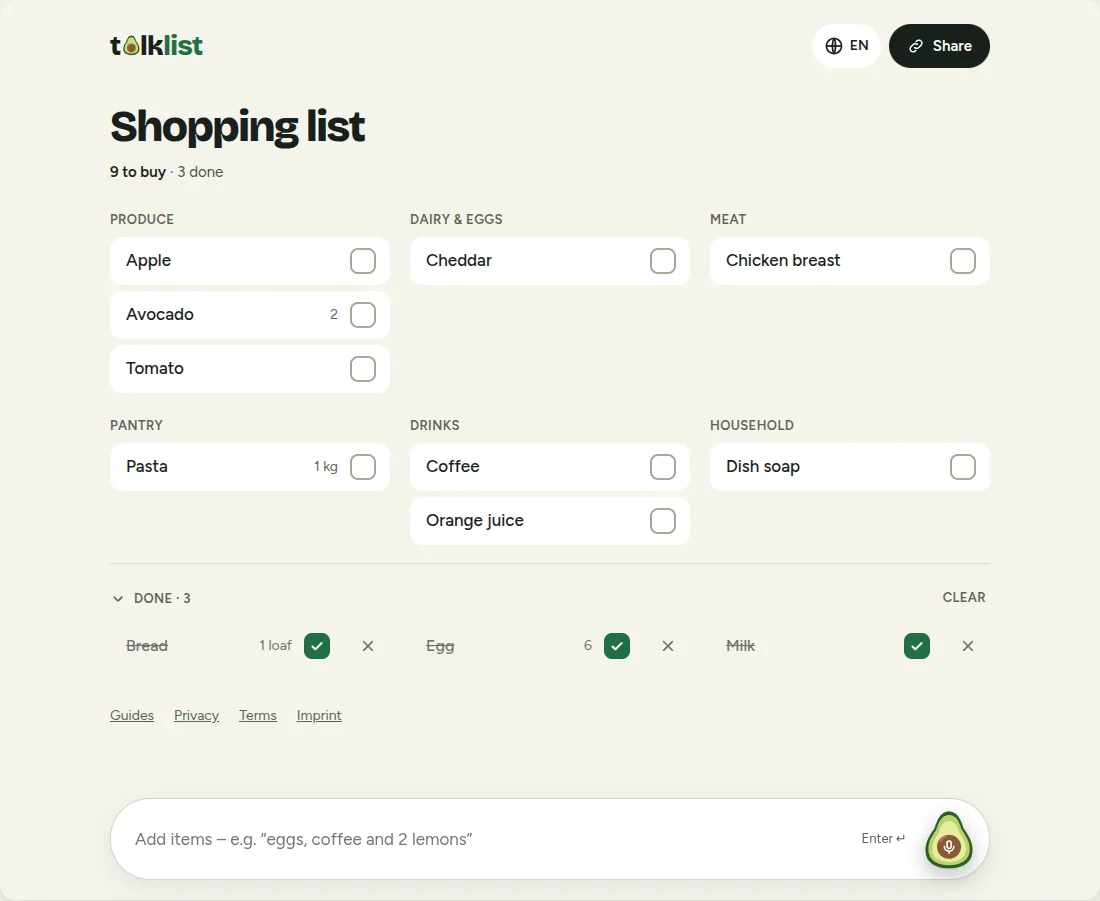
Talklist is a free grocery list maker you talk to. Say what you need in one sentence and it turns it into a tidy checklist, sorted by store section, that you can tick off as you shop and share with anyone by link. There is nothing to install and no account to create.
How it works
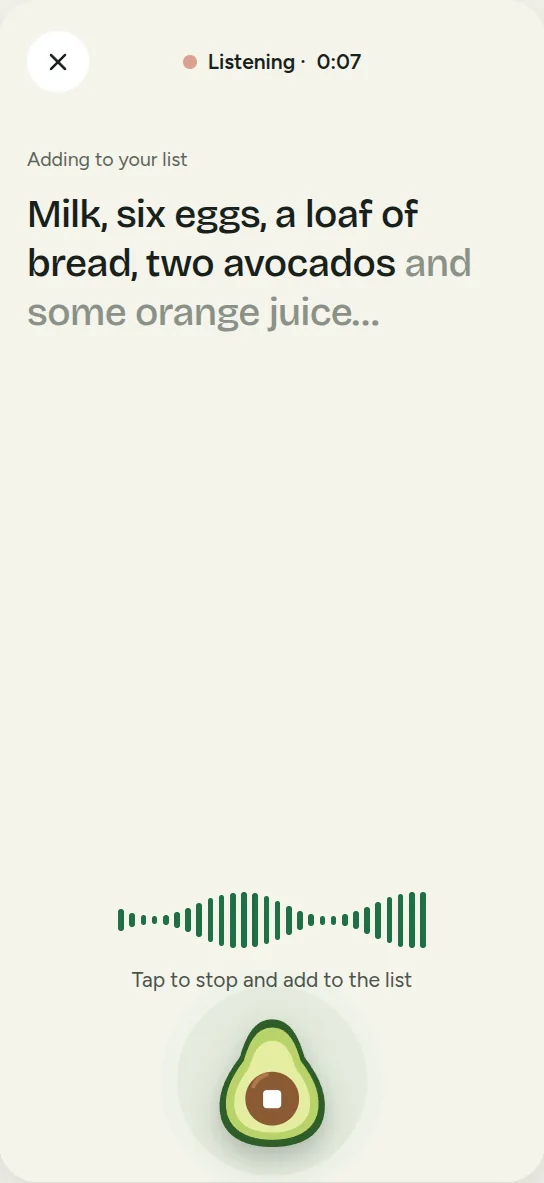
- Say it or type it. Tap the microphone and say something like "milk, two avocados, a loaf of bread and a kilo of pasta". You can also just type it.
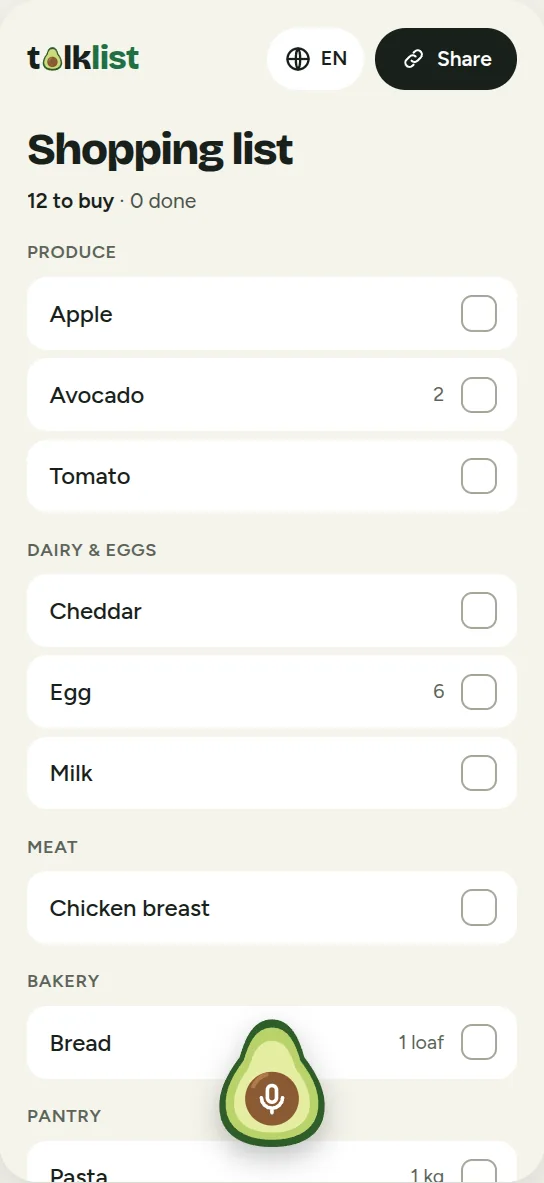
- Talklist sorts it. An AI model splits your sentence into items, picks out the quantities ("2", "1 loaf", "1 kg") and files each item under a category.
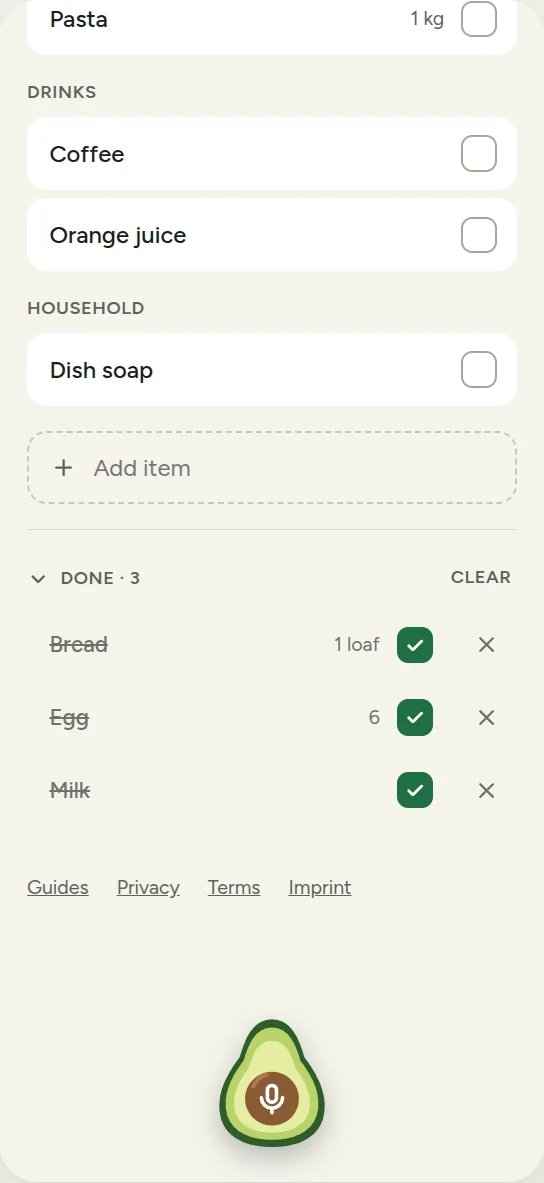
- Shop and tick. Tick items off as you go. Finished items move to a Done section, which you can clear when you are done.
Voice input that understands whole sentences
You do not have to dictate one item at a time or use special words. Talk the way you normally would:
- "Milk, six eggs, a loaf of bread, two avocados and some orange juice" becomes five items, with 6 eggs, 1 loaf of bread and 2 avocados.
- Filler words and hesitations such as "um", "maybe" and "also" are ignored.
- Spoken numbers become digits, so "two" is shown as 2.
Voice input uses your browser's built-in speech recognition, which works in current versions of Chrome, Edge and Safari. Your browser, not Talklist, handles the audio, and Talklist only receives the resulting text. Some browsers, such as Firefox, do not offer speech recognition. There, type your list, or use the microphone key on your phone's keyboard.
Sorted for you
Every item is filed under one of 12 categories: produce, dairy and eggs, meat, fish, bakery, pantry, frozen, drinks, snacks, household, personal care and other. Within a category items are in alphabetical order, so the list reads like a walk through the store.
A few details that make it pleasant to use:
- No duplicates. Say "milk" twice and you still get one milk.
- Quantities update. If you have milk on the list and later say "3 milks", the quantity changes to 3 instead of adding a second line.
- Bought it, need it again? Adding an item you have already ticked off puts it back on the to-buy list.
- Clean names. Items are saved in their simple, singular form ("tomato", not "some tomatoes"), with the quantity shown separately.
Eight languages, and mixed words
Talklist works in English, German, French, Spanish, Italian, Dutch, Polish and Russian. Choose your language from the menu in the corner.
It also copes with product names from another language. If you shop in Germany but speak Russian, saying "фрискез" in the middle of a Russian sentence puts "Frischkäse" on your list, spelled the way you will see it on the shelf. Names stay in the language you used for them, so "milk" and "Milch" are two different items.
Share by link
Tap Share to copy your list's link or send it with your phone's share menu. Anyone with the link can open the list and tick items off, and the changes show up for everyone within about half a minute. Nobody needs an account. More for couples, families and roommates on the shared grocery list page.
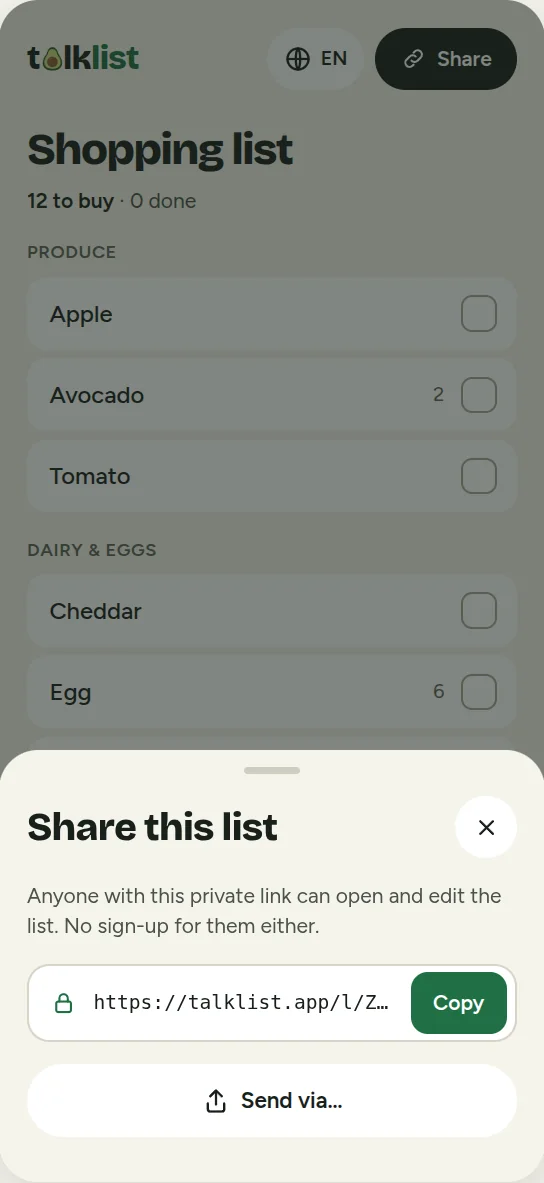
The link is the key to the list. It contains 22 random characters that cannot realistically be guessed, so keep it among the people you shop with. Anyone who has it can also edit the list.
Each device keeps one list. If you open a link to someone else's list on a device that already has one, Talklist asks whether to replace your list or keep it.
It keeps working when your signal drops
Supermarkets have patchy reception. Once the page is open, you can keep ticking, unticking and removing items with no connection at all, and the changes sync as soon as you are back online. A small note tells you when you are offline.
Adding items by voice or text needs a connection, because that is where the AI splits your sentence. Talklist saves what you said and adds it as soon as it can.
Undo, and tidy up in one tap
Ticked the wrong item? A small Undo button appears for a few seconds after you tick, untick or remove an item. Items in the Done section have an x to remove them for good, and Clear removes them all at once.
Ready-made lists
Do not want to start from a blank page? Our shopping list guides have ready-made lists, such as a Thanksgiving dinner shopping list and a Christmas dinner shopping list. Tell them how many people you are cooking for, and the quantities adjust. One tap adds the whole list to your Talklist.
Phone, tablet or computer
Talklist is a web page, so it works the same everywhere: on your phone in the store, on a tablet in the kitchen, or on a computer where the list uses the wider screen.
Privacy, in plain words
- No account, no ads and no tracking cookies.
- Your list is stored on our servers (in the United States) under its private link, and deleted automatically about 180 days after you last change it.
- To split your sentence into items, the text you say or type is sent to an AI service (Claude, made by Anthropic). We do not keep the original text, only the resulting items.
- Do not put sensitive information in a list. Anyone with the link can read it.
The full details are in the privacy policy.
Good to know
Being upfront about the limits:
- No accounts means no recovery. If you lose the link or clear your browser data, we cannot get your list back.
- Voice depends on your browser. Some browsers, such as Firefox, do not offer it.
- Up to 200 items per list, and fair-use daily limits on how many times you can add by voice or text.
- Lists expire about 180 days after their last change.
Try it
Open Talklist and say your first list. If you would rather start from a template, pick one from the guides.
Frequently asked questions
Is Talklist free? Yes. Talklist is free to use today. There is no sign-up and it never asks for payment details.
Do I need an account? No. You open the site, add items, and that is it. Each list is identified by a private link, which you can share with anyone you shop with.
Does it work on iPhone, Android and desktop? Yes. It runs in your web browser on phones, tablets and computers, so there is nothing to install. Voice input uses your browser's speech recognition, which works in current versions of Chrome, Edge and Safari. In browsers without it, such as Firefox, you can type, or use your keyboard's microphone key.
Where is my list stored? On our servers, under a random link that only you and the people you share it with know. Your browser remembers the link so your list is there next time. Lists are deleted automatically about 180 days after the last change.
What happens if I lose the link? Because there are no accounts, we cannot recover a list whose link is lost, for example if you clear your browser data. A good habit is to send the link to yourself in a message as a backup.
How many items can a list hold? Up to 200 items. You can add up to about 1,500 characters of text at a time, which is plenty for a full shopping trip.
Does it work offline? Once the page is open, ticking, unticking and removing items keep working without a connection and sync when you are back online. Adding items by voice or text needs a connection, so Talklist saves what you said and adds it when the connection returns.