Shared Grocery List Without an Account: Share It With a Link
Updated October 20, 2026
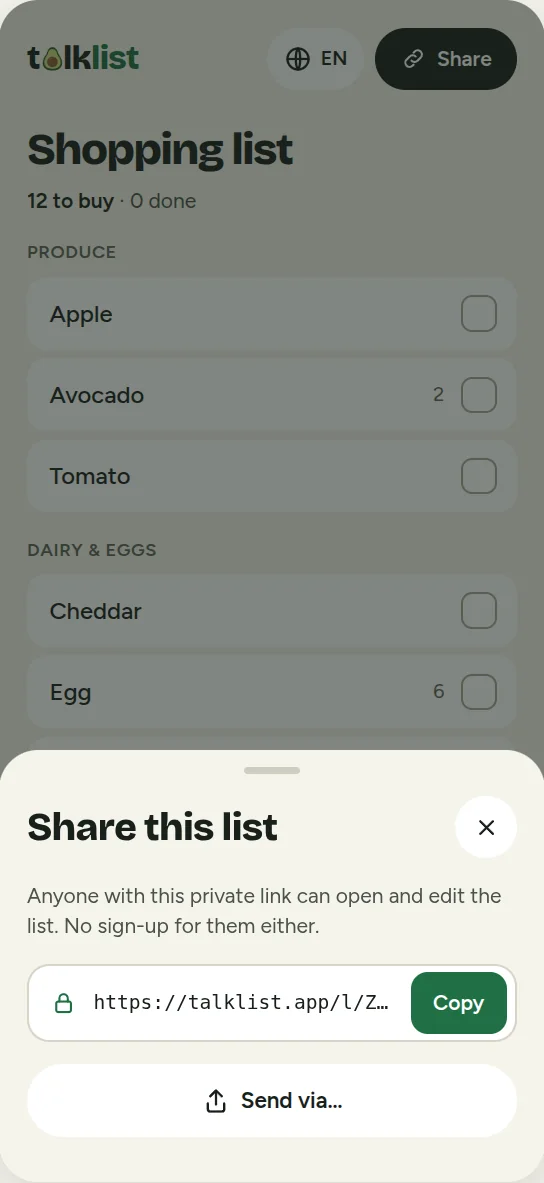
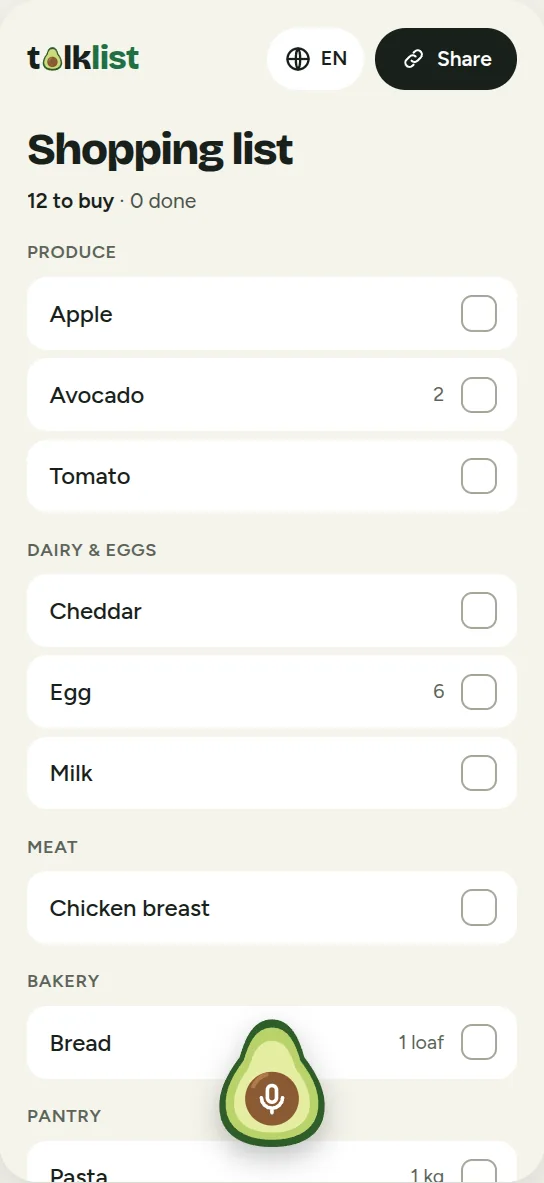
A shared grocery list saves you the call from the store: "Do we still have milk?" In Talklist everything is on one list that you share with a link. Whoever notices something is missing adds it, and whoever goes shopping checks it off. There is no account, no app to install and no invitation email.
How to share the list
- Create the list. Open Talklist and add the first items, by typing or by saying them out loud.
- Send the link. Tap Share and send the link in a text, chat or email to your partner, family or roommates.
- Use it together. Anyone who opens the link sees the same list. Everyone can add, check off or remove items.
Who it is for
- Couples. One adds what is missing during the day, the other checks items off at the store. Nobody writes things down twice.
- Families. Parents and older kids note what is running out. Whoever goes shopping already has the full list.
- Roommates. One list for the whole apartment, without anyone having to set up an app or create an account. The link lives in the house chat.
- Weekly shops and parties. One list for the big trip that several people can split between them.
Adding items is easy, even by voice
Everyone adds items the way that suits them. Typing works, and saying it out loud is often faster: "milk, two avocados, a loaf of bread and a pound of pasta" becomes separate items with quantities, sorted by store section. Voice input uses your browser's speech recognition (Chrome, Edge and Safari). Where it is not available, for example in Firefox, you type or use the microphone key on your keyboard.
- No duplicates. If "milk" is already on the list it stays one line. If someone says "three milks", the quantity changes.
- Needed again? A checked item comes back onto the list if someone adds it again.
- Undo. Checked or removed something by mistake? The Undo button brings back the last change.
What happens when several people edit
Several people can change the list at the same time. Talklist merges the changes instead of overwriting one version: if two people add different items, both end up on the list. Changes from others appear on their own, usually within about half a minute.
Bad signal in the store? Once the page is open, checking off and removing items also works without a connection and syncs as soon as you have signal again. Adding new items by voice or text needs a connection: Talklist remembers what you said and adds it when you are back online.
The list on your home screen
To have the list one tap away, add Talklist to your home screen like an app. A button next to the list title does this, with a short guide on iPhone. Each device remembers its own list. If you open the link to another list on a device that already has one, Talklist asks whether you want to replace yours or keep it.
Privacy, in plain words
- No account, no ads and no tracking cookies.
- Anyone who knows the link can see and edit the list. Share it only with the people you shop with.
- The list is stored on our servers (in the United States) and deleted automatically about 180 days after its last change.
- To split spoken or typed text into items, we send it to an AI service (Claude by Anthropic). We do not keep the original text, only the items.
All the details are in the privacy policy.
Good to know
- No account means no recovery. If you lose the link and clear your browser data, we cannot restore the list. The easiest safeguard is to text the link to yourself.
- The link gives everyone full rights. There are no separate roles for viewing and editing.
- Up to 200 items per list and fair daily limits on adding by voice or text.
Try it
Open Talklist, create a list and send the link to the person you shop with. To learn more about the app, see Grocery list maker you can talk to. Prefer paper? Use the printable grocery list.
Frequently asked questions
How do I share a grocery list with my partner or family?
In Talklist, tap Share and send the link in a text or chat. Anyone who opens the link sees the same list and can add and check off items. Nobody has to sign up or install anything.
Does everyone need to install Talklist or create an account?
No. Talklist runs in the browser and there are no accounts. The link to the list is all you need. If you like, you can add Talklist to your home screen from the browser menu.
How fast do other people see my changes?
Talklist checks the list regularly, so changes usually show up for everyone within about half a minute. Reopening the page shows the current state right away.
What happens if two people change the list at the same time?
Both changes are kept. If two people add different items, both end up on the list. If both check off the same item, it is simply checked.
Is a shared list private?
The list is reachable through a random 22-character link that is practically impossible to guess. Anyone who has the link can see and edit the list, so only give it to the people you shop with and do not put sensitive information in it.
How much does it cost?
Talklist is free to use today, with no sign-up, no ads and no payment details.
Can I stop someone from using the list?
The link is the access to the list. If someone should no longer have it, create a new list and share the new link only with the others. The old list is deleted automatically about 180 days after its last change.